Weather Moratoriums in EROMS can be managed through Configuration-->Weather Moratorium.
*Please note that the "End Date" must be the day before the DNPs are to resume. DNPs will be available for sending the day after the "End Date"
ADD Weather Moratoriums
- We have an option to add new counties to Weather Moratorium.
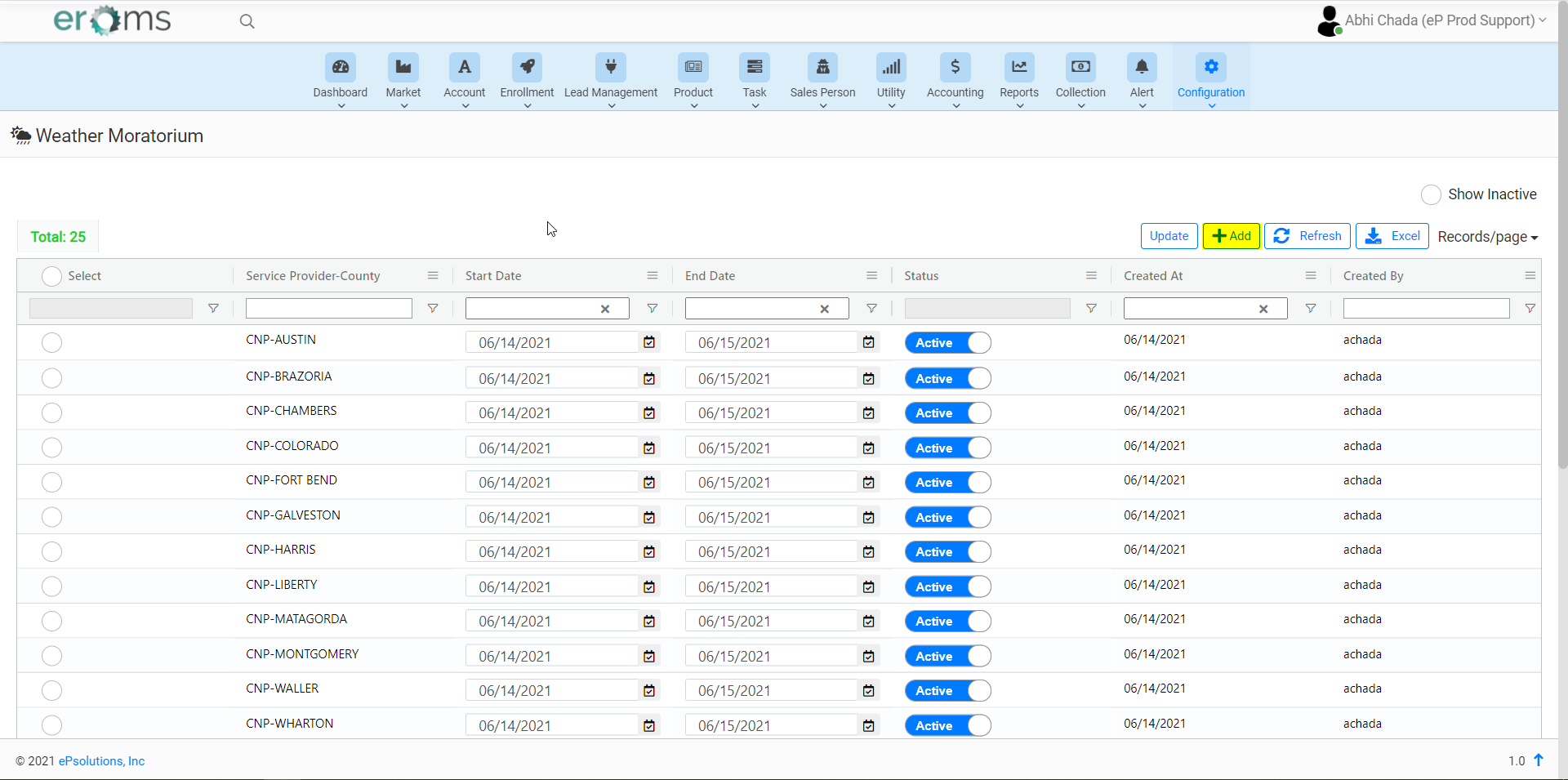
- Once you click on "Add" a screen opens to Add Moratoriums, We have to select the StartDate, EndDate and search for the county which we want to add to Moratoriums.
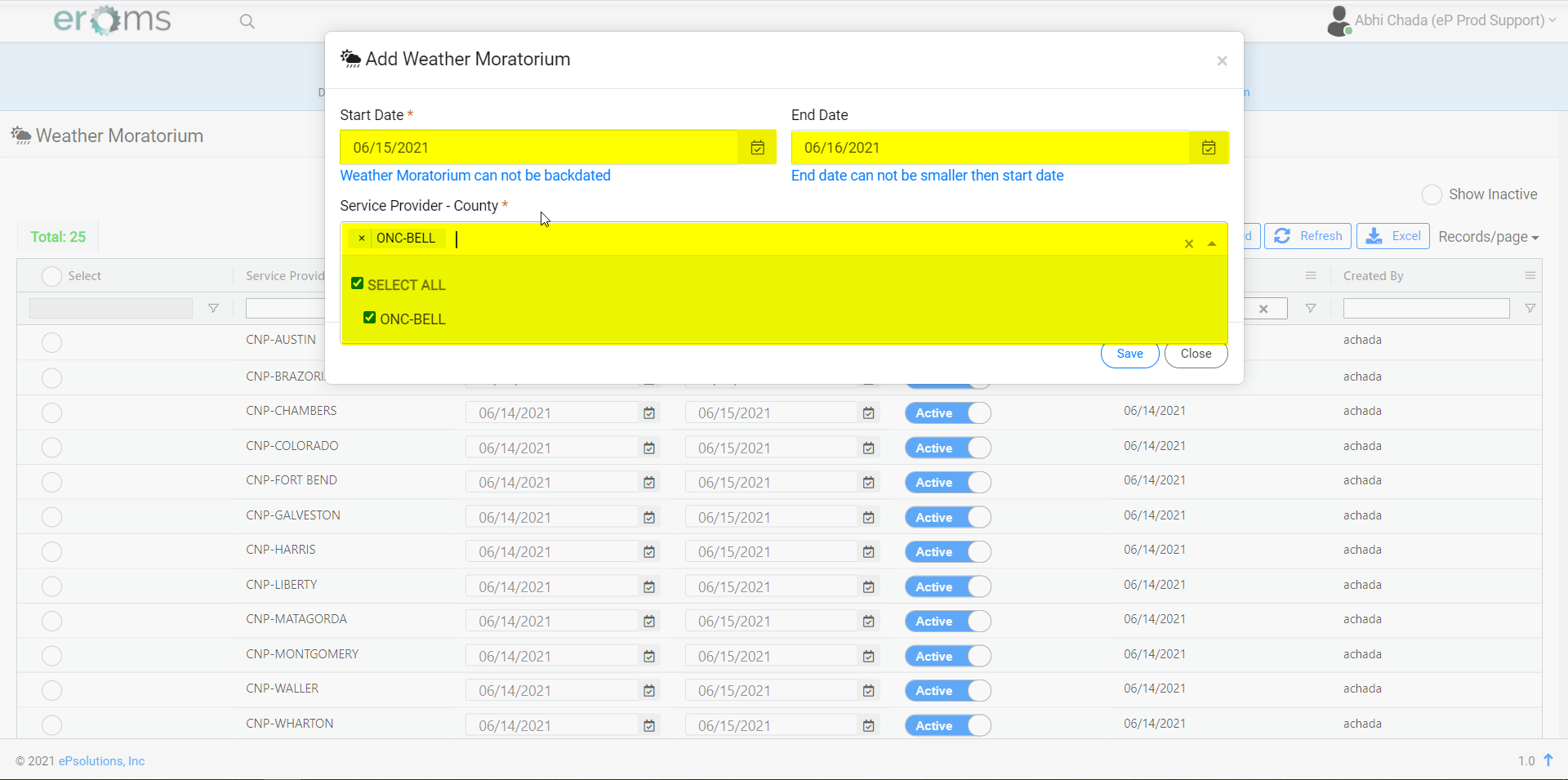
- We can add multiple counties in a single attempt if the StartDate and EndDate are the same.
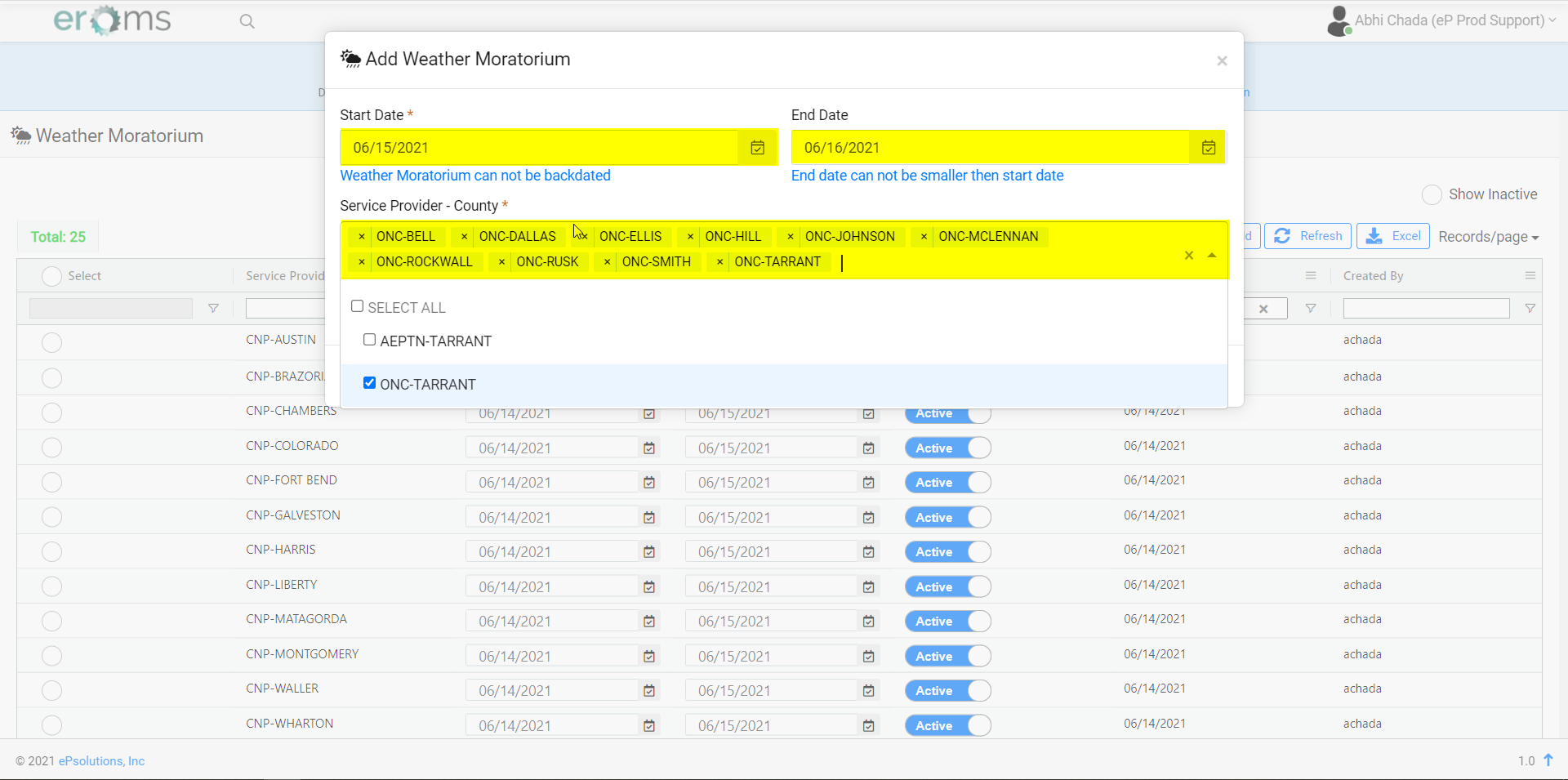
- Once all the counties we want to add are selected, click on "Save" to add the counties to the weather moratorium.
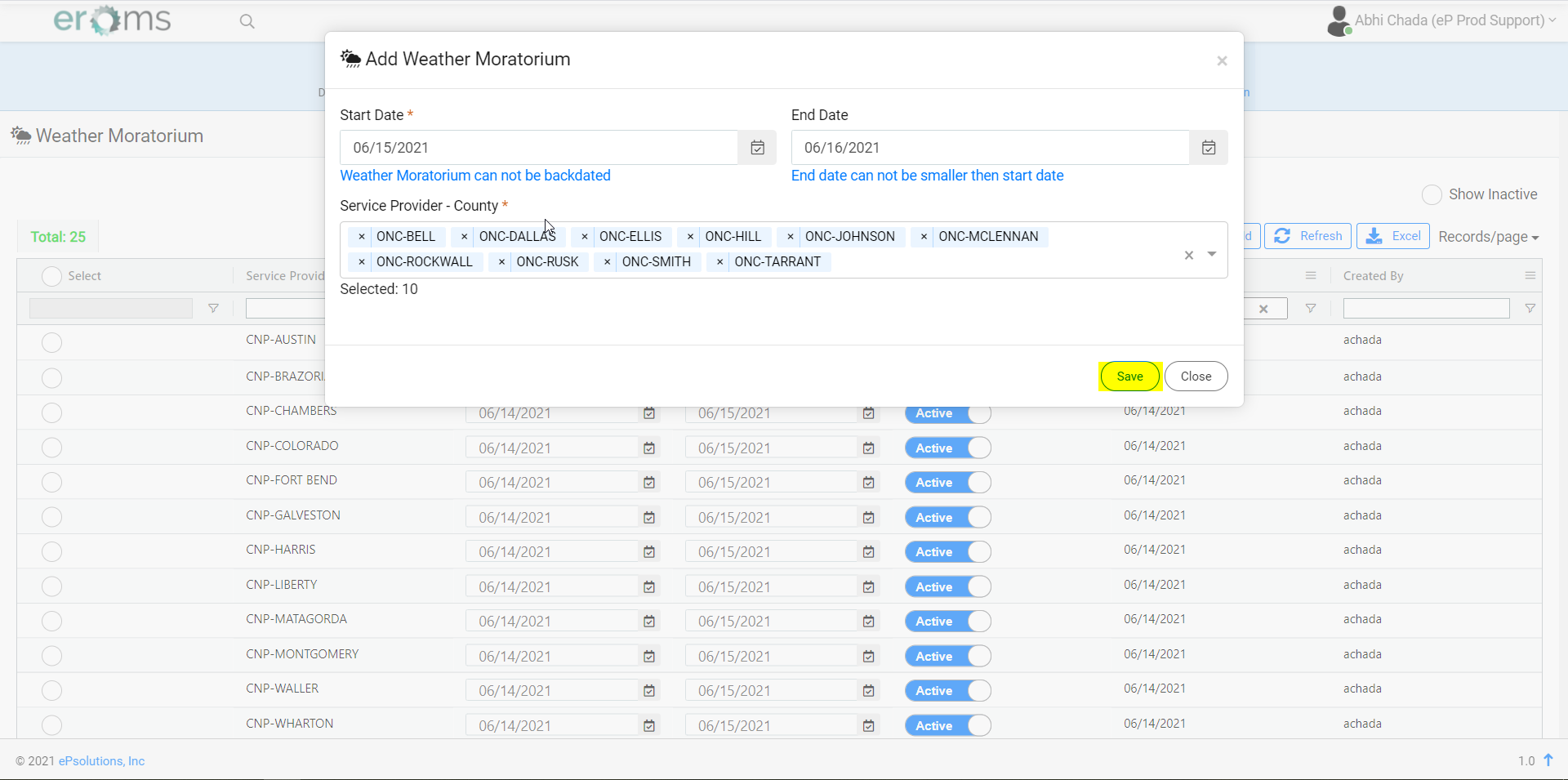
- We can see the added Weather Moratoriums on the page.
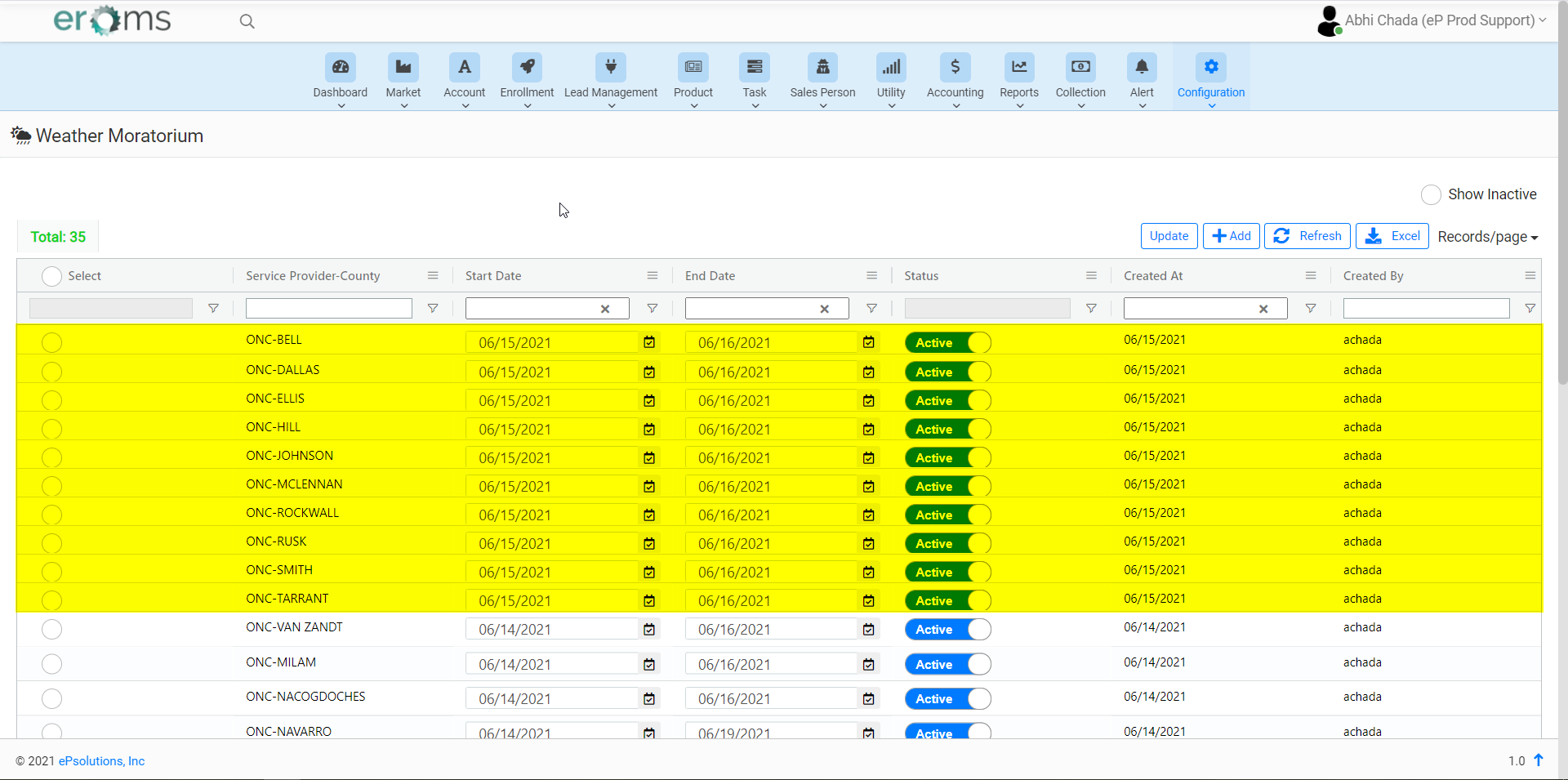
UPDATE Weather Moratorium:
- To update the dates, On the weather moratorium page we have to search for the counties we want to update and select the radio button in the first column.
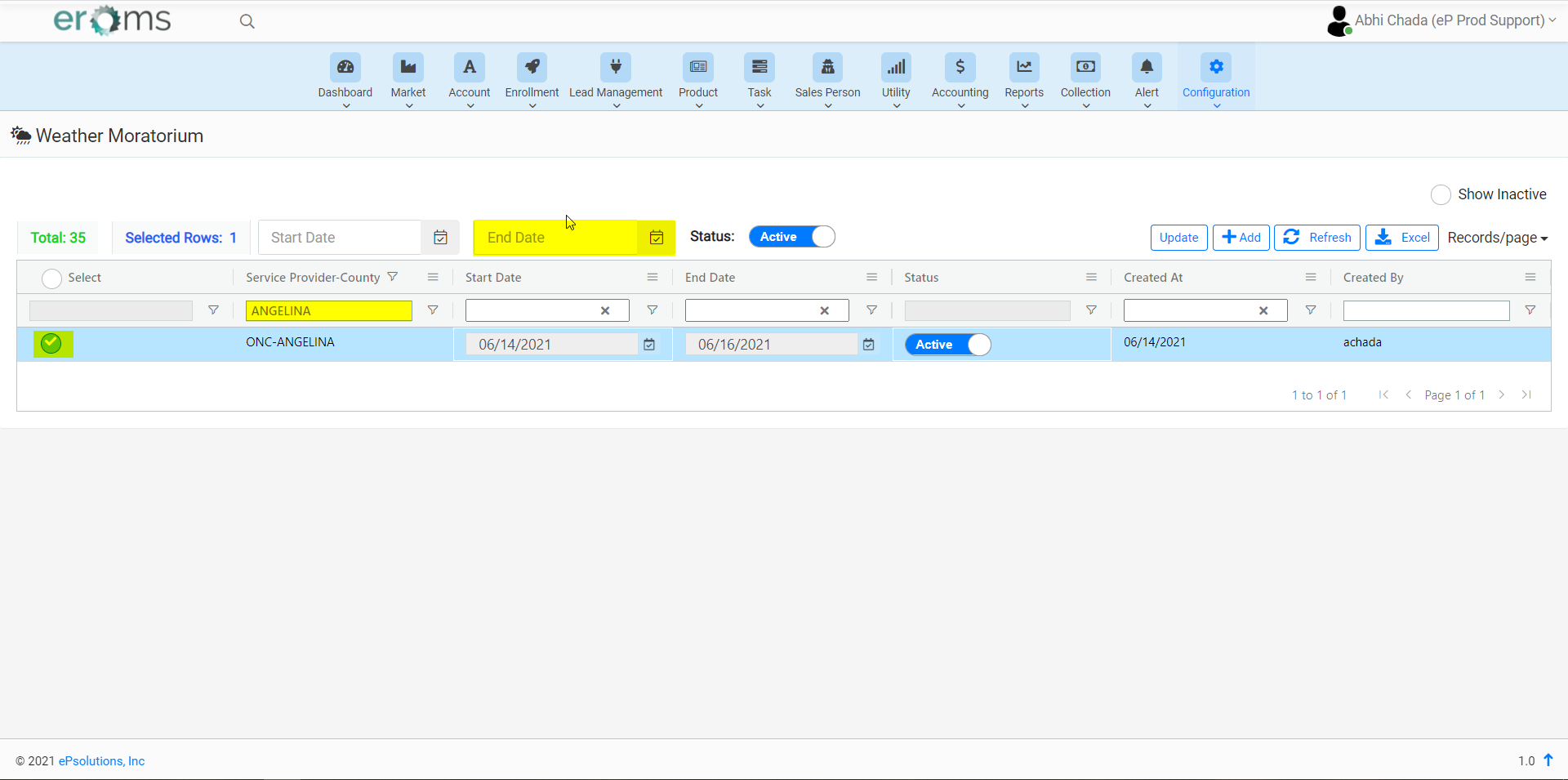
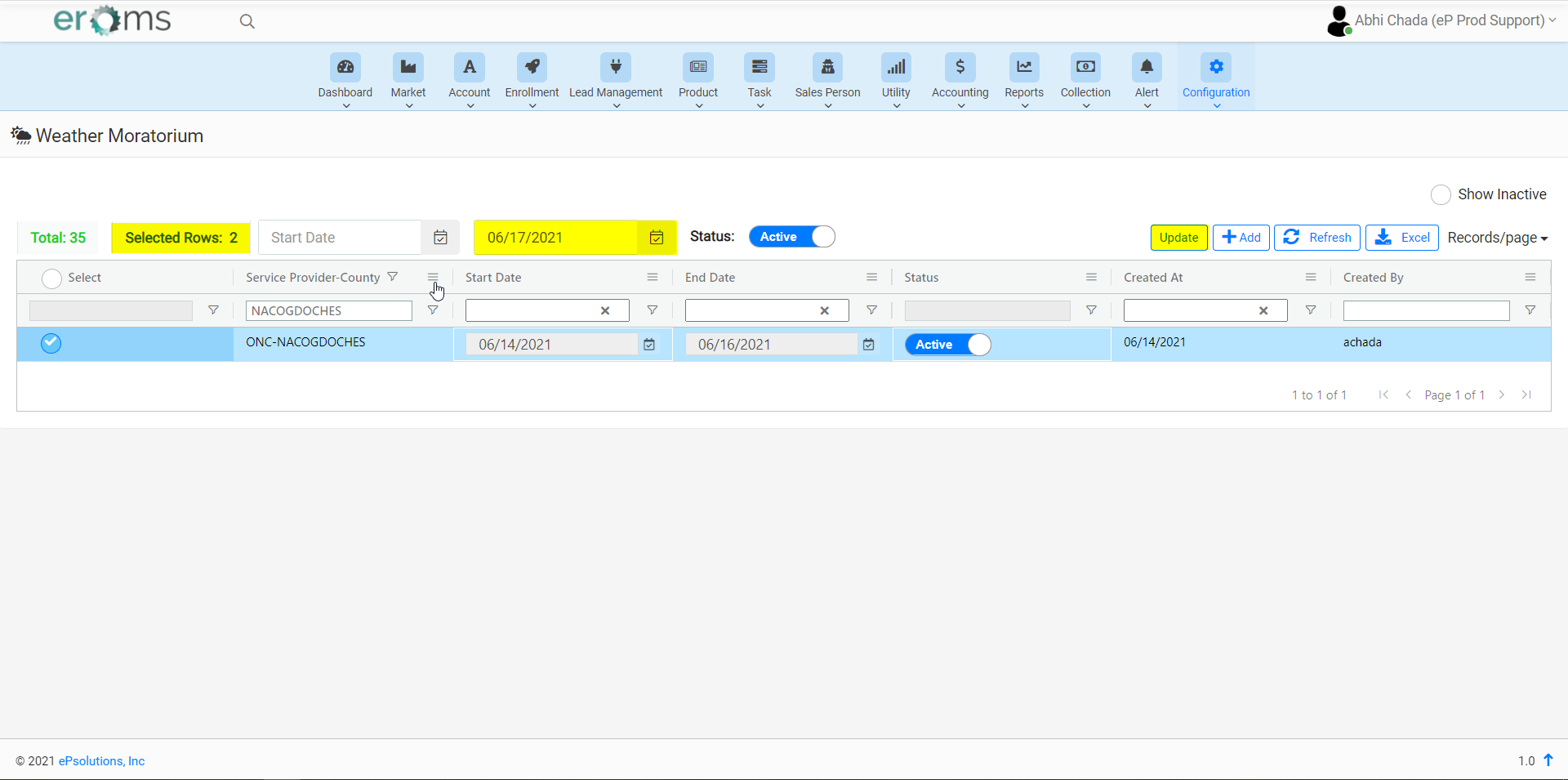
- Once you select all the counties with the same end date, We have to add the new EndDate for the selected rows and click on the "Update" button to get those updated.
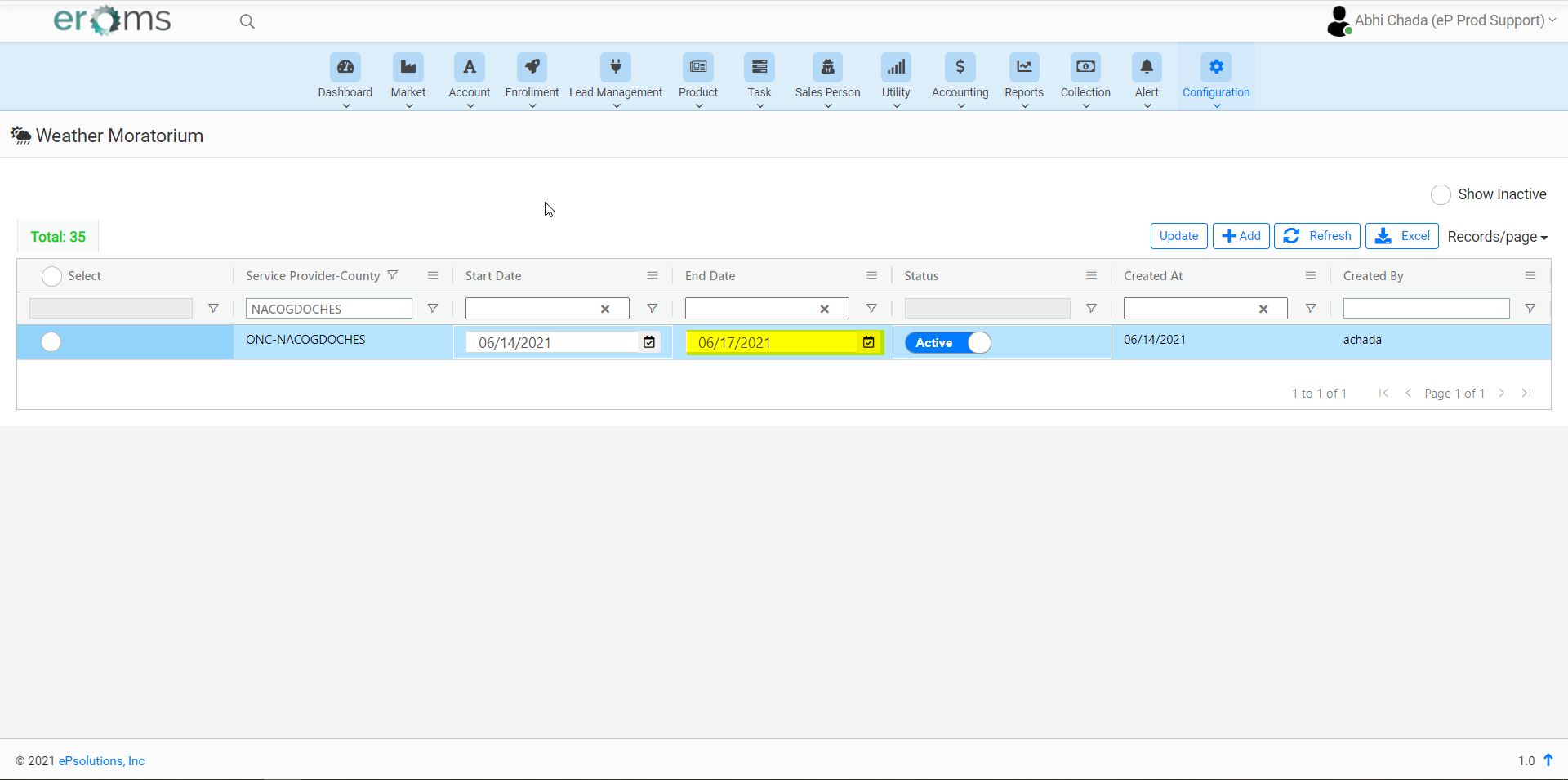
- We can see the updated Weather Moratoriums on the page.
NOTE: Attached are the Videos to Add and Update the Weather Moratoriums for better understanding.
Comments